Serving Chicagoland manufacturers since 2001.
The Short Answer
When opening a second manufacturing facility, companies should plan their IT infrastructure well before the new location begins operating. Manufacturing IT expansion planning helps ensure that a second facility has the connectivity, infrastructure, applications, and technology support needed before production begins.
The most important considerations include verifying internet service availability, establishing secure connectivity between facilities, providing access to ERP and business applications, designing network and wireless infrastructure, separating IT and operational technology (OT), securing vendor access, preparing backup and recovery systems, and arranging ongoing IT support.
One of the most important steps is confirming that suitable internet service can actually be delivered to the new building—not simply assuming it is available because neighboring businesses have connectivity.
A location may require new fiber construction, additional cabling, property access agreements, permits, or months of coordination with a telecommunications provider.
For manufacturers, technology readiness should be part of the facility selection and expansion process, not something addressed after a lease is signed or production equipment arrives.
Your Second Facility Shouldn't Become Your Second Set of IT Problems
Your manufacturing company is growing.
Perhaps you've outgrown your current building and need additional production space. Maybe you're opening a warehouse or satellite manufacturing facility. Or you've acquired another company and plan to integrate its operations with your existing business.
Whatever the reason, opening a second facility represents a significant investment.
Leadership is understandably focused on the building, production equipment, employees, utilities, transportation, and operational schedules.
Technology often receives less attention until the opening date approaches.
That's when important questions begin surfacing.
Can the new location access the existing ERP system?
Will engineering employees be able to retrieve drawings and production files?
How will inventory and purchasing information move between locations?
Will CNC equipment vendors need remote connectivity?
Who will support employees when something stops working?
And perhaps most importantly:
Can the building actually obtain the internet connectivity your operations require—and will it be ready before you open?
These questions can affect everything from employee productivity to production scheduling.
A successful manufacturing expansion requires more than moving computers and installing a few network switches.
It requires a coordinated technology plan that supports the company's operations from the first day.
Why Manufacturing Facility Expansions Require Early IT Planning
IT Dependencies Affect More Than Office Employees
In a conventional office environment, technology planning may focus primarily on computers, internet connectivity, phones, printers, and cloud applications.
Manufacturing environments often have additional dependencies.
Depending on the facility, technology may support:
- ERP and manufacturing management applications
- Engineering workstations and CAD/CAM software
- CNC program storage and distribution
- Production reporting and scheduling
- Inventory and warehouse management
- Barcode scanners and label printers
- Quality management systems
- Equipment vendor remote access
- Industrial controllers and connected machinery
- Security cameras and building access systems
Not every machine needs an internet connection, and not every production system should communicate directly with the business network.
However, the relationships between these systems must be understood before the new facility becomes operational.
A missing network connection or application dependency can prevent an otherwise functional production process from operating as intended.
The Risks of Treating Technology as a Last-Minute Project
Imagine a manufacturer preparing to open a second facility in 60 days.
Production equipment has been ordered. Employees are being hired. The building's electrical improvements are underway.
The company contacts an internet provider and discovers that the building does not have an existing fiber connection.
The provider can potentially extend service to the property, but the project requires engineering, construction, and additional approvals.
The installation may not be completed before the planned opening.
Now the manufacturer must consider temporary connectivity, delayed application access, or changes to the operational schedule.
This hypothetical situation illustrates why technology should be included in facility planning from the beginning.
A building can be ready for manufacturing equipment without being ready for the technology that supports manufacturing operations.
Eight IT Considerations When Opening a Second Manufacturing Facility
1. Verify Internet Service Availability Before Committing to the Location
Internet connectivity deserves attention during the earliest stages of facility selection.
Many manufacturers assume that if a building is located in an industrial park or commercial area, suitable internet service will be readily available.
Unfortunately, that assumption can be expensive.
Available in the Area Doesn't Mean Available at Your Building
An internet provider may advertise service throughout a particular city or industrial park.
That does not necessarily mean the provider has infrastructure connected to the specific building you're considering.
Fiber may run along the street but not extend to the property.
A neighboring building may have service through a private construction project.
The previous tenant may have used a connection that has since been disconnected or cannot be transferred under the same terms.
Even when a provider identifies an address as serviceable, the available product may not meet the company's requirements for upload speed, reliability, static IP addressing, or business support.
A useful starting point is the FCC National Broadband Map, which provides provider-reported broadband availability information by location.
However, the map is a research tool—not a substitute for a commercial serviceability confirmation or a committed installation date.
The FCC also explains how to interpret broadband availability information.
Request a Formal Serviceability Review
Before signing a lease or finalizing a purchase, manufacturers should contact potential internet providers and request confirmation for the exact property.
The review should address:
- Whether the provider can deliver service to the specific building
- Which connection technologies are available
- Available download and upload speeds
- Whether business-class or dedicated internet access is offered
- Whether construction or a fiber extension is required
- Estimated installation and activation timelines
- One-time construction and installation costs
- Monthly recurring charges
- Contract terms and service-level commitments
- Whether static IP addresses are available if required
Where possible, obtain written confirmation rather than relying solely on a sales representative's verbal estimate.
For a particularly important facility, a site survey or engineering review may be appropriate.
What If Internet Service Isn't Already Available?
If suitable service cannot be activated through a routine installation, the provider may need to extend its network.
Depending on the property and existing infrastructure, that work could involve:
- Extending fiber from an existing provider network
- Installing conduit or underground cabling
- Obtaining access to utility poles
- Securing easements or rights-of-way
- Coordinating with the property owner
- Obtaining construction or municipal permits
- Installing an external demarcation point
- Extending cabling from the demarcation point to the network equipment room
The responsibilities and costs associated with this work should be established before the project proceeds.
In some situations, a property owner may participate in infrastructure improvements. In others, the manufacturer may be responsible for some or all of the construction expense.
Installation timelines can vary substantially.
A routine connection may be relatively straightforward. A new fiber build involving permits, construction, or utility coordination can take months.
Manufacturers should not assume a particular timeline until the provider has reviewed the location and confirmed the scope.
Evaluate Temporary and Backup Connectivity
If permanent connectivity will not be ready by the opening date, temporary alternatives may be available.
Depending on location and operational requirements, options might include:
- Business-class cable internet
- Fixed wireless connectivity
- Cellular 4G/5G service
- Temporary wireless connections
- Satellite internet where appropriate
These alternatives have different performance characteristics, reliability limitations, and installation requirements.
For example, cellular connectivity may provide temporary access for office applications but may not reliably support every manufacturing application or remote workflow.
The suitability of a temporary connection should be tested against actual business requirements.
Manufacturers should also consider whether a secondary internet connection is needed after the facility opens.
For operations that depend heavily on cloud applications or connectivity to another facility, internet redundancy can reduce the impact of certain provider outages.
However, two connections do not necessarily provide meaningful redundancy if they share the same physical path, building entrance, or upstream infrastructure.
Practical recommendation: Make verified internet serviceability, construction requirements, and installation timing part of the facility due-diligence checklist. Do not wait until the building is occupied to begin this process.
2. Plan Secure Connectivity Between Facilities
Once the new location has reliable internet connectivity, the next question is how it will communicate with the existing facility.
Manufacturers may need to share applications, files, inventory information, and business systems across both locations.
Common approaches include:
- Site-to-site VPN connections
- Secure software-defined WAN (SD-WAN) solutions
- Private carrier connectivity
- Cloud-hosted applications accessed independently from each location
- Hybrid architectures combining multiple approaches
The appropriate design depends on application requirements, reliability expectations, security, and cost.
Understand Which Applications Depend on the Connection
Not every application has the same connectivity requirements.
Microsoft 365 and other cloud applications may be accessed directly from each location.
An on-premises ERP system hosted at the original facility may require dependable interfacility connectivity.
Engineering applications may depend on access to shared files, licensing servers, or specialized databases.
Some applications perform poorly over high-latency connections, even when bandwidth appears sufficient.
Before selecting a network architecture, manufacturers should identify which systems must communicate between locations and how sensitive they are to interruptions.
Plan for Connection Failures
If the new facility depends on applications hosted at the original location, the failure of either facility's internet connection may affect operations.
The technology plan should answer:
- Which applications become unavailable if the interfacility connection fails?
- Can employees continue working through local or offline procedures?
- Are secondary connections justified?
- Should certain applications be hosted differently?
- What is the process for restoring service?
Manufacturers should also consider the effect of maintenance, power failures, and network equipment outages.
The objective is to understand dependencies before they interrupt business operations.
3. Confirm ERP and Business Application Readiness
ERP systems frequently become one of the most important technology considerations during manufacturing expansion.
The existing ERP platform may support inventory, purchasing, production scheduling, accounting, customer orders, and reporting.
Adding a second facility can change how these processes operate.
Can Your ERP Support Multiple Locations?
Before opening, manufacturers should confirm whether the ERP system supports the planned operating model.
Questions include:
- Can the system maintain inventory by location?
- Does it support separate warehouses or production facilities?
- Are additional user or facility licenses required?
- Will both locations share the same database?
- How will production orders and transfers be handled?
- Can employees access the application with acceptable performance?
- Are application changes or vendor services required?
A system that works well at one facility may need configuration changes to support another.
The ERP vendor should participate in this planning early.
Evaluate Supporting Applications and Dependencies
ERP is only one part of the environment.
Engineering software, production reporting, quality management, shipping applications, and document storage may have additional requirements.
For example, a CAD/CAM application may use large files stored at the original facility.
Employees at the new location may need local caching, different storage architecture, or revised workflows to avoid delays.
Similarly, warehouse scanners and label printers may require specific application configurations and network connectivity.
Practical recommendation: Test critical application workflows from the new location before employees depend on them for daily operations.
4. Design Network Infrastructure and Wi-Fi for the Actual Facility
A manufacturing building's physical layout has a major influence on network design.
Office space, production floors, warehouses, loading docks, and equipment rooms may have very different requirements.
Plan Structured Cabling Before Equipment Installation
The network design should identify where connections are needed for:
- Office workstations
- Network printers
- Production reporting terminals
- Engineering systems
- Warehouse scanners
- Wireless access points
- Network-connected equipment
- Security cameras
- Building access systems
The project should also account for equipment rooms, cable pathways, network racks, switches, firewalls, power protection, and environmental conditions.
Manufacturing environments may introduce additional challenges involving electrical interference, dust, temperature, vibration, or long cable runs.
Appropriate equipment and installation methods should be selected for the environment.
Don't Assume Office Wi-Fi Designs Work on a Production Floor
Wireless coverage in a manufacturing facility can be affected by metal equipment, machinery, storage racks, building materials, and changing inventory layouts.
A wireless network that performs well in an empty building may behave differently after machinery and warehouse racks are installed.
A proper wireless design should consider:
- Coverage requirements
- Device types
- Roaming needs
- Interference
- Access point placement
- Network capacity
- Security segmentation
- Changes to the production environment
A wireless site survey may be appropriate before finalizing the design, followed by validation after major equipment and storage systems are in place.
For additional context on identifying infrastructure problems before they cause outages, see our article on network monitoring for manufacturers.
5. Plan Backup Power for Critical IT Infrastructure
Internet connectivity and network equipment are only useful when the systems supporting them have reliable power.
When manufacturers plan a new facility, electrical requirements typically focus on production machinery, lighting, HVAC, and building operations. However, the IT infrastructure also needs attention.
Servers, network switches, firewalls, wireless access points, storage systems, and telecommunications equipment may support critical business and manufacturing operations.
A power interruption affecting these systems can disrupt connectivity, application access, production reporting, and communications—even when production equipment itself remains operational.
Use UPS Systems to Protect Critical Equipment
An uninterruptible power supply (UPS) should be considered for critical IT infrastructure at both new and existing facilities.
A properly sized UPS can:
- Provide temporary power during short electrical interruptions
- Protect connected equipment from certain power disturbances
- Allow systems to shut down safely when an outage continues
- Bridge the transition to standby generator power
- Help prevent unnecessary interruptions to network and server operations
UPS systems should be selected based on the actual electrical load, required runtime, equipment compatibility, and maintenance needs.
For example, a UPS protecting a network firewall and switches may have different capacity requirements than one supporting servers and storage systems.
The objective is not necessarily to keep every computer in the building running. It is to identify the infrastructure that must remain available and provide appropriate protection.
UPS batteries also require periodic testing and eventual replacement. Installing a UPS without maintaining it can create a false sense of security.
Consider Standby Generators for Extended Power Outages
UPS systems are generally intended to provide limited runtime. They are not a substitute for a long-term backup power strategy.
When planning a new manufacturing facility, TR Technologies recommends evaluating a standby generator capable of supporting critical IT infrastructure during extended utility outages.
Ideally, backup power requirements should be included in the building's electrical design.
This allows the electrical contractor and IT team to coordinate:
- Which IT systems require continued power
- Expected electrical loads
- UPS runtime requirements
- Generator capacity
- Automatic transfer arrangements
- Electrical circuits serving critical infrastructure
- Cooling and environmental requirements for equipment rooms
- Testing and maintenance procedures
A UPS and standby generator serve complementary purposes.
The UPS can keep supported equipment operating during the transition from utility power to generator power. The generator can then provide longer-duration electricity, subject to fuel availability, system capacity, and operating conditions.
A generator alone may not prevent a brief interruption during transfer, which is why UPS protection remains valuable even when standby power is available.
Coordinate With Existing Manufacturing Backup Power Systems
Manufacturers operating around the clock may already have generators or other backup power arrangements supporting production or building systems.
In these environments, the IT infrastructure does not necessarily require a separate generator.
The important question is whether critical IT equipment is included in the existing backup power plan.
For example, a facility may have standby power for essential machinery but overlook the network switches, firewall, servers, or telecommunications equipment those operations depend on.
The IT team should coordinate with facility management and electrical contractors to verify which circuits are supported and whether the available capacity is sufficient.
Where practical, testing should confirm that critical systems remain operational through the transition to backup power.
Evaluate Alternatives for Existing Buildings
When purchasing or leasing an existing manufacturing building, installing a standby generator may be difficult because of space, electrical infrastructure, property restrictions, cost, or other limitations.
Other technologies, including battery energy storage systems or solar installations paired with suitable storage and transfer equipment, may be worth evaluating.
However, solar panels alone do not necessarily provide electricity during a utility outage. Backup operation requires equipment specifically designed and configured for that purpose.
Even when a long-duration backup power solution is not practical, appropriately sized UPS systems remain an important baseline protection for critical IT infrastructure.
The company should understand how long its systems can remain available during an outage and what procedures are required if that runtime is exceeded.
Practical recommendation: Include critical IT power requirements in the facility's electrical planning. At minimum, evaluate UPS protection for essential network and server equipment. For new construction, strongly consider standby generator capacity for critical IT systems, and verify that existing manufacturing backup power arrangements actually support the technology those operations depend on.
6. Separate Business IT From Production Technology
Opening a second facility provides an opportunity to establish a well-designed network architecture from the beginning.
One important consideration is separating conventional business IT from operational technology.
Business IT may include computers, servers, email, ERP systems, and office applications.
Operational technology may include CNC equipment, PLCs, industrial controllers, and other systems involved in monitoring or controlling physical processes.
These systems often have different security, availability, and maintenance requirements.
Avoid Connecting Everything to One Flat Network
Placing office computers, guest devices, production equipment, and vendor connections on the same unrestricted network can increase risk.
A problem affecting one system may have a greater opportunity to affect other systems.
A more appropriate architecture may use separate network segments, controlled communication paths, and firewall policies.
Segmentation does not necessarily mean production systems can never communicate with business applications.
Instead, communication should be permitted where necessary and restricted where it is not.
Manufacturers can learn more in our guide to manufacturing network segmentation.
Coordinate With Equipment Manufacturers
Production equipment may require specific network settings, communication protocols, or vendor access methods.
Before connecting machinery, determine:
- Which devices need network connectivity
- Which systems they must communicate with
- Whether internet access is required
- What remote support the equipment vendor needs
- Whether unsupported operating systems are involved
- Which configuration changes require vendor approval
Some equipment may have operational or warranty considerations that affect network and security changes.
The National Institute of Standards and Technology provides additional guidance in NIST SP 800-82 Rev. 3, Guide to Operational Technology Security, which addresses security while recognizing the unique performance, reliability, and safety requirements of operational technology.
Practical recommendation: Design IT and OT segmentation before production equipment is installed, rather than attempting to reorganize a flat network after the facility is operating.
7. Establish Cybersecurity and Equipment Vendor Access Controls
A second facility expands the organization's technology environment.
It introduces additional users, devices, networks, applications, and potentially new external connections.
Security policies should apply consistently across locations while accounting for operational differences.
Extend Identity and Device Security
Manufacturers should evaluate:
- Employee account provisioning
- Multifactor authentication
- Endpoint protection
- Administrative privileges
- Device management
- Firewall policies
- Security monitoring
- Patch management
- Physical access to network equipment
Employees at the new location should not become an exception to established security practices simply because the facility is new.
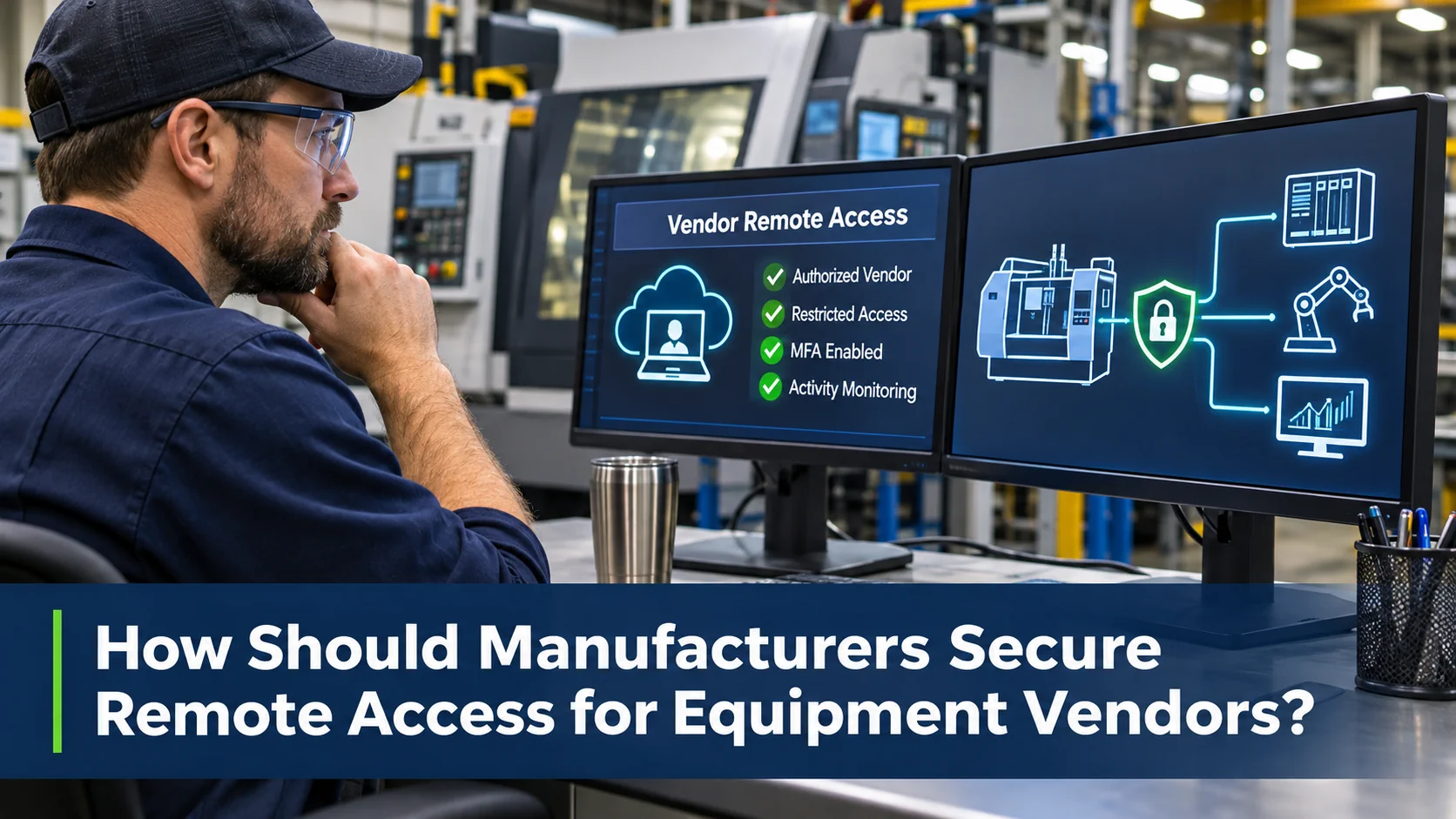
Control Equipment Vendor Remote Access
Manufacturing equipment vendors often require remote connectivity for troubleshooting, diagnostics, or maintenance.
These connections can be valuable, particularly when specialized support is not available locally.
However, remote access should be deliberately designed and managed.
Important controls may include:
- Individual accounts instead of shared credentials
- Multifactor authentication where technically supported
- Access limited to authorized systems
- Approval procedures
- Logging and monitoring
- Time-limited access where practical
- Defined procedures for disabling access
- Documented vendor responsibilities
Unattended or permanently enabled remote connections should be evaluated carefully.
The Cybersecurity and Infrastructure Security Agency provides guidance on configuring and managing remote access for industrial control systems.
Security controls should be appropriate for the equipment and coordinated with its manufacturer.
8. Plan Backup, Recovery, and Business Continuity Across Both Locations
Adding a second facility can change the company's recovery requirements.
The organization may now depend on shared applications, interfacility connections, or centralized infrastructure supporting employees in multiple locations.
Identify Critical Systems at Each Facility
The recovery plan should establish which systems are required for operations at each location.
For example:
- Does the second facility depend on servers at headquarters?
- Are critical files stored locally or centrally?
- Can employees work if the connection between facilities fails?
- Are local devices and configurations backed up?
- Does the ERP recovery plan account for both facilities?
- Who coordinates recovery when multiple vendors are involved?
The answers may influence network design, application hosting, backup architecture, and recovery priorities.
Test Recovery Procedures Before Opening
Backup jobs completing successfully does not prove that business operations can be restored within the required timeframe.
Manufacturers should establish appropriate recovery time and recovery point objectives for critical systems.
Where feasible, test important recovery scenarios before the new facility begins full operations.
The organization should also document how employees will communicate and continue essential work during an outage.
A second location may provide additional operational flexibility, but it should not automatically be treated as a disaster recovery site.
That capability requires deliberate design, capacity planning, and testing.
For a broader discussion, see Does Your Manufacturing Company Have a Disaster Recovery Plan?.
9. Arrange Local IT Support and Vendor Coordination
Once the facility opens, employees will need ongoing technology support.
Some problems can be resolved remotely.
Others require someone physically present.
Examples include:
- Failed network equipment
- Cabling problems
- Wireless troubleshooting
- Workstation and printer installation
- Equipment replacement
- Network closet maintenance
- Coordination with internet providers
- Onsite support for equipment vendors
Manufacturers should decide who will handle these responsibilities before opening.
Clarify Support Responsibilities
If the company has internal IT personnel, determine whether they can support both locations effectively.
Travel time, staffing, workload, and technical specialization may affect the answer.
A co-managed arrangement may allow internal IT to retain ownership of selected responsibilities while an outside provider supplies additional expertise or local support.
Learn more about Co-Managed IT Services from TR Technologies.
Companies without an internal IT department may benefit from a primary outsourced technology partner responsible for day-to-day support, infrastructure management, and vendor coordination.
Our Managed IT Services provide that broader support model.
Establish One Coordinated Implementation Plan
A facility expansion may involve numerous outside providers:
- Internet carriers
- Electricians
- Low-voltage cabling contractors
- ERP vendors
- Equipment manufacturers
- Security system installers
- Phone system providers
- Building contractors
- Internal IT staff
Without clear coordination, important tasks can fall between providers.
For example, the internet carrier may install its service successfully, but nobody has arranged the cabling needed to connect the carrier's demarcation point to the company's firewall.
Each vendor may have completed its assigned work, yet the facility still lacks a functioning network.
A coordinated implementation plan should define responsibilities, dependencies, milestones, and acceptance testing.
Practical recommendation: Assign a clear owner to the overall technology implementation, even when multiple vendors perform the actual work.
Opening a New Facility vs. Acquiring an Existing Manufacturing Operation
Not every second facility starts with an empty building.
Some manufacturers acquire an existing business or take over a facility that already contains equipment, computers, servers, and network infrastructure.
These projects require a different approach.
Starting With a New Building
A new or substantially renovated facility offers greater flexibility.
The company can design cabling, equipment rooms, wireless coverage, network segmentation, and security controls around its intended operations.
However, this flexibility requires early coordination with construction and equipment installation schedules.
Infrastructure should be designed before walls are closed, production equipment is positioned, or access to cable pathways becomes difficult.
Inheriting an Existing Technology Environment
An acquired facility may contain functioning technology, but its condition and configuration may be unknown.
Potential concerns include:
- Undocumented administrator accounts
- Unsupported servers or workstations
- Unknown firewall configurations
- Unmanaged switches
- Shared vendor credentials
- Incomplete backup documentation
- Unlicensed or nontransferable software
- Legacy industrial controllers
- Unidentified remote access tools
- Equipment dependent on obsolete operating systems
The presence of functioning equipment does not establish that the environment is secure, maintainable, or compatible with the acquiring company's systems.
Assess Before Connecting Networks
One particularly important precaution is evaluating the acquired environment before establishing trusted connectivity to the existing business network.
Connecting two networks without understanding their security conditions can introduce unnecessary exposure.
A preliminary assessment should identify major assets, network architecture, security risks, and critical dependencies.
The integration plan can then determine which systems should be migrated, replaced, isolated, or connected through controlled communication paths.
The objective is not necessarily to replace everything immediately.
It is to avoid introducing unknown risks into an otherwise managed environment.
A Practical Manufacturing Facility IT Readiness Timeline
The following timeline illustrates how manufacturers can organize technology planning around an expansion.
Actual schedules should be adjusted for the facility, construction requirements, equipment procurement, and service-provider lead times.
Internet availability should be verified before the company makes a binding location commitment whenever possible. The timeline below assumes that early due diligence has already begun.
90 or More Days Before Opening: Assess and Design
At this stage, manufacturers should:
- Confirm internet serviceability at the exact address
- Request carrier construction and installation estimates
- Identify any property access or permitting requirements
- Inventory required applications and technology
- Determine interfacility connectivity needs
- Review ERP and licensing requirements
- Plan network and IT/OT architecture
- Identify equipment vendor dependencies
- Establish the initial technology budget
- Assign project responsibilities
If new fiber construction is required, this phase may need to begin substantially earlier.
60–90 Days Before Opening: Order and Coordinate
Key activities may include:
- Ordering internet circuits
- Confirming installation commitments
- Ordering firewalls, switches, and wireless equipment
- Scheduling structured cabling
- Coordinating network closet requirements
- Confirming ERP configuration work
- Arranging vendor access requirements
- Finalizing security architecture
- Reviewing project dependencies
Procurement and installation activities should be tracked against the planned opening date.
30–60 Days Before Opening: Install and Configure
As the facility becomes ready, the technology team can begin:
- Installing network infrastructure
- Configuring firewalls and switches
- Establishing interfacility connectivity
- Implementing wireless networks
- Configuring employee access
- Preparing workstations and printers
- Applying security policies
- Testing ERP and application connectivity
- Coordinating production equipment connections
Some work may depend on construction completion, electrical readiness, or equipment installation.
Final 30 Days: Test Operational Readiness
Before opening, validate:
- Internet connectivity and performance
- Backup connectivity or failover where applicable
- Interfacility communications
- ERP workflows
- Engineering file access
- Printing and scanning
- Wireless coverage
- User authentication
- Equipment vendor access
- Backup and recovery procedures
- Support escalation processes
Tests should involve the employees and vendors who will actually use the systems.
A successful network connection alone does not establish that the business workflow is ready.
First 30 Days After Opening: Monitor and Stabilize
After operations begin, the technology team should monitor:
- Network reliability
- Application performance
- Wireless coverage
- Support ticket trends
- Security alerts
- Equipment connectivity
- Unexpected capacity limitations
- Outstanding implementation issues
This is also an appropriate time to review whether the technology environment is meeting the original design requirements.
Our guide to manufacturing IT KPIs explains how organizations can measure infrastructure reliability, support performance, and technology risk over time.
Publication note: This internal link points to Article 22, scheduled for November 16, 2026, two days before this article.
Who Should Own the IT Work During a Facility Expansion?
Technology projects are more successful when responsibilities are established before implementation begins.
Internal IT Responsibilities
An internal IT manager may oversee architecture, security policies, application access, user provisioning, and coordination with company leadership.
However, a facility expansion can place substantial additional demands on an already busy IT department.
The organization should consider whether internal staff have enough time and specialized resources to complete the project while maintaining existing operations.
Equipment and Application Vendor Responsibilities
Equipment vendors may be responsible for installing machinery, configuring controllers, validating software, and confirming equipment functionality.
ERP vendors may need to configure additional facilities, warehouses, licenses, or workflows.
These responsibilities should be documented.
The company's IT team should understand the network and security requirements, while specialized vendors remain accountable for the systems within their expertise.
The Role of a Managed or Co-Managed IT Partner
An experienced IT partner can help coordinate infrastructure design, carrier installation, security configuration, application dependencies, and ongoing support.
For organizations with internal IT, a co-managed approach can provide additional capacity without displacing the existing team.
For companies without dedicated IT leadership, a managed IT provider can serve as the primary technology coordinator.
TR Technologies works with manufacturing businesses throughout Chicagoland, helping coordinate conventional IT infrastructure with the requirements of production environments and equipment vendors.
Our approach emphasizes clear accountability, practical planning, and ongoing support rather than treating the facility opening as a one-time equipment installation.
What Should Manufacturers Budget for Second-Facility IT?
Technology costs should be included in the overall expansion budget from the beginning.
The specific investment will depend on the size of the facility, existing infrastructure, applications, equipment, and operational requirements.
Important budget categories include the following.
Internet Connectivity and Construction
Budget for installation, recurring service charges, potential fiber construction, additional cabling, and backup connectivity where appropriate.
Carrier construction costs can be particularly important when evaluating a property without existing suitable service.
Network Infrastructure
Include firewalls, switches, wireless access points, racks, structured cabling, power protection, and installation labor.
Manufacturing environments may require specialized equipment or installation methods.
Computers and Peripheral Equipment
Account for workstations, engineering computers, printers, barcode scanners, label printers, and other employee devices.
Software and Licensing
Additional users or facilities may require new ERP licenses, Microsoft 365 subscriptions, security software, remote access licensing, or application configuration services.
Cybersecurity and Recovery
Include security controls, monitoring, backup infrastructure, recovery planning, and any additional systems needed to protect the new location.
Implementation and Vendor Services
The budget should account for design, installation, configuration, testing, documentation, and vendor coordination.
These activities can represent a meaningful portion of the project, even when the equipment itself is relatively straightforward.
Ongoing Support
Finally, consider how the new facility will be supported after opening.
A second location may increase the need for onsite visits, infrastructure monitoring, help desk services, and technology planning.
Manufacturers should distinguish one-time implementation expenses from recurring operating costs.
A contingency allowance is also appropriate, particularly when acquiring a facility with incomplete documentation or uncertain infrastructure conditions.
The goal is to develop a realistic budget before unexpected technology requirements threaten the opening schedule.
Common IT Mistakes Manufacturers Make When Expanding
Several avoidable mistakes appear repeatedly in facility expansion planning.
Waiting Too Long to Order Internet Service
This is one of the most consequential mistakes.
A manufacturer may discover that a provider requires construction or additional approvals only after the opening schedule has been established.
Confirm serviceability and installation requirements during property evaluation.
Assuming the Existing ERP Will Work Without Changes
Additional locations may introduce licensing, configuration, performance, or workflow requirements.
Coordinate with the ERP vendor early and test real operational scenarios.
Designing Wi-Fi Before Understanding the Facility Layout
Manufacturing equipment, storage racks, and building materials can affect wireless performance.
Plan coverage around actual operating conditions and validate the design after installation.
Connecting Acquired Networks Without Assessment
An existing network may contain unknown vulnerabilities, unsupported equipment, or undocumented remote access.
Evaluate the environment before establishing trusted connectivity.
Leaving Vendor Responsibilities Undefined
Internet carriers, cabling contractors, equipment manufacturers, and IT providers may each assume another party is responsible for a particular task.
Document ownership and dependencies.
Failing to Test Before Opening
A network may be operational while critical business workflows remain untested.
Validate ERP access, printing, scanning, engineering applications, vendor connections, and recovery procedures before employees depend on them.
Overlooking Ongoing Support
The expansion project doesn't end when the building opens.
Employees need reliable support, infrastructure needs monitoring, and the company needs a plan for maintaining the new environment.
Frequently Asked Questions About Manufacturing Facility IT Planning
How early should IT planning begin for a second manufacturing facility?
IT planning should begin during facility evaluation, ideally before a binding property commitment. Internet availability, construction requirements, ERP dependencies, network architecture, and vendor coordination can affect the opening schedule. Projects requiring new fiber construction or major infrastructure work may need substantially more lead time than routine installations.
How can we confirm internet service is available at a new manufacturing building?
Start by reviewing provider-reported availability through the FCC National Broadband Map and contacting commercial internet providers serving the address. Request written confirmation of serviceability, available products, construction requirements, estimated costs, and installation timing. For critical projects, obtain a formal site survey or engineering review when appropriate.
Do two manufacturing facilities need a dedicated network connection?
Not necessarily. Secure site-to-site VPNs, SD-WAN, private circuits, or cloud-based architectures may be appropriate depending on the applications and operational requirements. The correct solution depends on reliability needs, performance, security, cost, and how the facilities share information.
Can both manufacturing facilities use the same ERP system?
Many ERP systems support multiple locations, but the requirements vary by product, licensing, hosting model, and configuration. Manufacturers should confirm support for separate facilities, warehouses, inventory, production workflows, and user access with their ERP vendor before opening.
Should production equipment share the office network?
Production equipment should not automatically be placed on an unrestricted office network. Manufacturers should evaluate IT/OT segmentation, permitted communications, equipment requirements, and vendor access. The appropriate architecture should protect business and production systems while allowing necessary workflows.
How should manufacturers handle IT support at a remote facility?
Manufacturers should establish who provides remote support, who handles onsite problems, how critical incidents are escalated, and which vendors are responsible for specialized systems. Internal IT teams may retain overall ownership while using a co-managed provider for additional expertise or local coverage.
What technology should be tested before a new facility opens?
Testing should include internet connectivity, interfacility networking, ERP access, employee authentication, engineering files, printers, scanners, wireless coverage, security controls, equipment vendor connections, backups, and support escalation procedures. Tests should reflect actual employee and operational workflows.
A Successful Expansion Starts With a Technology Plan
Opening a second manufacturing facility creates opportunities for growth, increased production capacity, and improved customer service.
But it also introduces new technology dependencies.
Internet connectivity must be available when needed. Business applications must work across locations. Networks must support office and production requirements. Equipment vendors need appropriate access. Employees need reliable support.
And leadership needs confidence that these systems have been designed, coordinated, and tested before operations begin.
The most important lesson is simple:
Don't assume the building is technology-ready just because it's physically ready.
Verify internet serviceability early, understand the applications and equipment that will depend on connectivity, assign responsibilities, and build a realistic implementation schedule.
These steps can help prevent avoidable delays and reduce the risk of technology problems interfering with an otherwise successful expansion.
Planning a Second Manufacturing Facility? Let's Discuss Your IT Requirements.
TR Technologies has been serving Chicagoland manufacturers since 2001.
We help manufacturing businesses plan, implement, and manage the technology infrastructure supporting their operations, including network connectivity, IT/OT segmentation, equipment vendor coordination, and ongoing IT support.
Whether you're opening another facility in Aurora, Naperville, Joliet, Elgin, or elsewhere in our service area, early technology planning can make a significant difference.
Schedule a Discovery Call to discuss your expansion plans, infrastructure requirements, internet connectivity, and technology implementation timeline.