When a longtime IT administrator, plant engineer, or maintenance manager leaves a manufacturing company, the immediate concern is often finding someone to take over their responsibilities.
But what happens when that employee was also the only person who knew the firewall password, managed the network switches, configured the production VLANs, or maintained the building's security camera system?
For small and midsize manufacturers, these departures can expose technology risks that were not obvious while the employee was still available.
The organization may have functioning equipment, reliable internet connectivity, and established production processes. Yet important configurations, administrative credentials, vendor relationships, and recovery procedures may exist only in one person's files—or in their memory.
Manufacturing IT employee offboarding must address more than email accounts and company laptops. It should protect the business's ability to securely access, manage, maintain, and recover its technology systems after an employee leaves.
A structured offboarding process can help manufacturers preserve critical knowledge, prevent unauthorized access, and reduce the possibility that a personnel change becomes an operational disruption.
Why Does Employee Departure Create Unique IT Risks for Manufacturers?
Every business needs a process for removing employee access. Manufacturing environments introduce additional complexity because technology supports both administrative operations and physical production.
A manufacturer may depend on office computers, servers, ERP applications, industrial workstations, CNC machines, PLCs, wireless networks, IoT devices, and physical security systems.
These systems may have been installed by different vendors over many years.
Critical Knowledge May Be Concentrated in One Person
Consider a manufacturer with 60 employees and one internal IT administrator.
That administrator may have managed the company's Microsoft 365 environment, firewall, wireless network, servers, backup systems, and vendor relationships for years.
The systems work, so management has little reason to question how they are documented.
Then the administrator resigns.
The company discovers that the network diagram is outdated, several switches use undocumented management credentials, and nobody knows who controls the domain registrar or backup administration portal.
The immediate problem is not necessarily a system failure. It is the organization's inability to confidently manage or recover systems when something changes.
Production Technology Has Additional Dependencies
Manufacturing equipment may rely on specialized software, older operating systems, vendor-specific configurations, and communication paths between machines and business applications.
A plant engineer might be the only person who knows why a particular PLC communicates across a specific VLAN or where the latest CNC configuration files are stored.
A maintenance manager might control vendor support portals or remote access devices installed by equipment manufacturers.
If that knowledge disappears, even routine troubleshooting can become difficult.
Departing Employees May Retain Access Through Multiple Systems
Disabling a Microsoft 365 account does not necessarily revoke access to every system.
An employee may have separate credentials for firewalls, switches, Wi-Fi controllers, cloud management portals, security cameras, door access systems, equipment vendors, or remote support platforms.
Some accounts may not be connected to the company's central identity system at all.
This creates two distinct concerns:
- Security risk: The former employee may retain access that should have been revoked.
- Operational risk: The organization may lose the ability to administer systems that the employee previously controlled.
A complete offboarding process needs to address both.
Which Systems, Infrastructure, and Accounts Should Manufacturers Review?
The appropriate offboarding checklist depends on the employee's responsibilities.
An office employee may have access to email, business applications, and shared files. An IT administrator or plant engineer may have permissions extending into network infrastructure, industrial systems, and building security.
Manufacturers should maintain an inventory that identifies who can access critical systems, what privileges they have, and who will assume responsibility when they leave.
Microsoft 365, Identity, and Business Applications
Review access to Microsoft 365, Microsoft Entra ID, email, SharePoint, OneDrive, Teams, ERP systems, accounting applications, CRM platforms, and other business software.
Offboarding may involve blocking sign-in, revoking active sessions, removing application permissions, transferring ownership, and preserving business records.
For Microsoft 365, account removal and data preservation should be treated as separate decisions.
Microsoft's guidance for removing a former employee explains the available steps for restricting access, preserving mailbox and OneDrive information, and transferring data to other employees.
Manufacturers should establish their retention and legal requirements before deleting accounts or removing licenses.
Firewalls, VPNs, Servers, and Remote Access
Review administrator accounts and permissions for firewalls, VPN platforms, servers, virtualization hosts, backup systems, remote monitoring tools, and remote desktop environments.
Confirm that authorized personnel retain access to the equipment after the departing employee's permissions are removed.
This is particularly important when an employee originally installed or configured the environment.
A firewall may be working properly today, but the organization still needs to know who can administer it, where its configuration is backed up, and how it can be recovered.
Managed Network Switches and VLAN Configurations
Managed switches are often overlooked during employee offboarding.
They may control connectivity between office computers, servers, wireless access points, production equipment, and industrial networks.
Review switch management accounts, configuration backups, firmware management responsibilities, and access to any centralized network management platform.
VLAN documentation deserves specific attention.
A manufacturer should understand which VLANs serve office systems, servers, manufacturing equipment, IoT devices, guest wireless networks, and security systems.
Documentation should identify important network dependencies, including routing and firewall rules that permit communication between VLANs.
For example, an ERP server may need to exchange production data with a machine monitoring system on a separate network segment.
If that communication was configured years ago by a departing administrator, the organization should preserve the configuration and its business purpose.
Without documentation, a future network change could interrupt production connectivity.
Wi-Fi Networks, Access Points, and Controllers
Manufacturing wireless networks may support handheld scanners, tablets, inventory systems, production terminals, maintenance devices, and employee connectivity.
Offboarding should include administrative access to wireless controllers, cloud management portals, access points, and authentication services.
Review whether the departing employee had access to Wi-Fi credentials, certificates, or network administration tools.
A distinction is important: removing an administrator's access to the Wi-Fi management platform is different from changing every wireless password.
If the employee knew a shared wireless credential, determine whether it should be rotated and how that change will affect connected devices.
A poorly coordinated change could disconnect scanners, tablets, printers, or production equipment.
Changes should be planned around operational requirements.
IoT Devices and Network Documentation
IoT systems are increasingly common in manufacturing facilities.
Examples include environmental sensors, production monitoring devices, smart power equipment, building automation controllers, network-connected printers, and industrial gateways.
These devices may use separate cloud portals, local management accounts, or vendor-managed connections.
Documentation should identify the devices, their locations, network assignments, management methods, vendors, and business purposes.
For critical IoT systems, manufacturers should also understand how the devices communicate with servers, cloud services, or other equipment.
The departure of a key employee should not leave the company unable to determine which devices are connected or how they are managed.
Industrial Workstations, CNC Machines, and PLCs
Plant engineers, maintenance personnel, and automation specialists may have access to systems that traditional IT teams do not administer directly.
These can include engineering workstations, HMI applications, PLC programming software, CNC configuration utilities, industrial PCs, and machine vendor portals.
Offboarding should identify equipment-specific credentials, software licenses, programming files, configuration backups, and vendor contacts.
However, changes to industrial control systems require care.
A password change, software update, or network modification that seems routine in an office environment may affect production equipment.
Coordinate with qualified plant personnel and equipment vendors before making changes that could interfere with machine operation.
The NIST Guide to Operational Technology (OT) Security discusses the distinctive reliability, safety, and operational considerations associated with industrial technology.
Physical Security Systems and Building Access
Physical security should be part of manufacturing IT employee offboarding, particularly when employees have administrative access to security infrastructure.
Review systems such as:
- Electronic door access and badge management platforms
- Door controllers, electronic locks, and keypad systems
- Security cameras, video management software, and network video recorders
- Intrusion alarm systems and monitoring portals
- Remote building access applications
- Cloud-managed physical security platforms
There are two separate types of access to consider.
First, the employee's ability to administer physical security systems.
An employee who managed the camera platform or door access controller may have administrative credentials that must be revoked or replaced.
Second, the employee's physical access to the facility.
Their badge, door PIN, mobile credential, alarm code, or physical keys may need to be disabled, changed, or recovered.
Removing a user's network account does not necessarily deactivate their building badge.
Likewise, deactivating a badge does not automatically remove their ability to remotely administer the access control system.
Both responsibilities should be explicitly assigned.
Vendor Portals, Internet Services, and Cloud Management
Finally, review third-party accounts.
These may include internet service providers, domain registrars, DNS hosting, equipment manufacturers, software licensing portals, backup providers, and cloud management platforms.
Confirm that critical services are registered to the company rather than exclusively to an employee's personal email address.
Verify that billing, renewal notices, administrative contacts, and recovery methods remain under organizational control.
An organization should not discover that its domain registration or internet service account is inaccessible only after a problem occurs.
Seven Steps to Reduce Manufacturing IT Employee Offboarding Risk
A reliable process should be repeatable, documented, and appropriate to the employee's level of access.
The following seven steps provide a practical framework.
1. Identify and Revoke the Employee's Access
Start with an inventory of the employee's accounts and permissions.
Include centrally managed systems as well as standalone applications, vendor portals, industrial systems, and physical security platforms.
Coordinate the timing of access removal with management and HR.
For planned departures, prepare the access changes in advance. For involuntary or higher-risk separations, the organization may need to coordinate immediate revocation with the separation process.
The CISA Cybersecurity Performance Goals recommend a defined offboarding process that includes revoking access to organizational systems and facilities.
A completed checklist should identify who performed each action and when.
2. Review Privileged Accounts and Shared Credentials
Administrative access deserves additional scrutiny.
Determine whether the employee had privileged access to firewalls, switches, servers, backup systems, Wi-Fi controllers, industrial workstations, or security platforms.
Remove individual permissions and revoke sessions or tokens where supported.
For shared accounts, determine whether credentials must be changed.
Avoid changing production-related credentials without understanding what depends on them.
For example, a shared account might also be used by an application, scheduled task, monitoring system, or vendor support process.
Changing it without identifying those dependencies could interrupt operations.
Where possible, replace shared administrative practices with individually accountable accounts and securely managed emergency access.
3. Transfer Ownership of Critical Systems and Services
A manufacturer should never depend on one employee's personal account as the only administrative path to a critical business system.
Verify that authorized company representatives or designated service providers can manage essential platforms.
Transfer administrative ownership of cloud portals, vendor accounts, software subscriptions, licensing, domain services, and infrastructure management systems.
Review recovery email addresses, authentication methods, and registered devices.
Where supported, maintain more than one authorized administrative account and establish a controlled emergency access procedure.
The goal is to preserve organizational control without leaving unnecessary standing privileges in place.
4. Document Vendor Contacts and Support Arrangements
A departing employee may have managed relationships with internet providers, machine builders, automation integrators, software companies, and physical security vendors.
Capture the contact information, service agreements, support procedures, account identifiers, and escalation paths required to maintain those relationships.
Document which vendor supports each critical system and who is authorized to request service.
For equipment vendors, identify remote support methods and the personnel responsible for approving access.
Manufacturers should not have to reconstruct vendor relationships during a production outage.
5. Preserve Network, Equipment, and IoT Documentation
This step is particularly important when an employee has been responsible for the environment for many years.
Review and preserve:
- Network diagrams and IP addressing documentation
- Switch configurations and management information
- VLAN assignments and inter-VLAN communication requirements
- Firewall policies and configuration backups
- Wi-Fi controller settings and wireless network documentation
- IoT inventories, network connections, and vendor details
- Server and virtualization configurations
- CNC, PLC, and industrial workstation documentation
- Equipment programming files and approved configuration backups
- Physical security system diagrams and administrative procedures
Documentation should be stored in a company-controlled, access-restricted location.
Credentials and recovery secrets should be maintained in an appropriate secure credential management system rather than embedded in ordinary network diagrams or shared spreadsheets.
Whenever possible, verify that the documentation is accurate and that configuration backups can actually be used.
6. Verify Backup, Recovery, and Monitoring Responsibilities
Employee departures can expose gaps in business continuity planning.
Confirm who receives backup alerts, monitors system health, approves recovery operations, and maintains backup credentials.
Check that backup systems are not dependent on the departing employee's personal account or authentication device.
Verify that another authorized person can access recovery documentation and initiate an appropriate recovery process.
Manufacturers should also identify who will respond to network outages, failed switches, server problems, and critical production connectivity issues.
A backup system is less useful if nobody remaining knows how to restore from it.
7. Review Physical Access and Production Dependencies
The final step brings together IT, plant operations, and facilities management.
Confirm that the employee's badges, keys, alarm codes, mobile access credentials, and other physical permissions have been addressed.
Separately verify that administrative access to cameras, NVRs, door controllers, and alarm platforms has been revoked or transferred.
Review production-related dependencies before changing credentials or configurations.
For example, a departing maintenance manager may have managed an industrial gateway that communicates with a machine vendor.
Removing that person's access should not unintentionally disable the gateway or interrupt an authorized support connection.
Complete the process with a documented review confirming that security and operational continuity requirements have both been addressed.
What Happens When the Only IT Administrator Leaves?
For a manufacturer with a small internal IT department, losing its only administrator can create an immediate business continuity challenge.
The organization may not have another employee who understands its network architecture, backup systems, cloud administration, or vendor relationships.
Administrative Access May Be Incomplete or Undocumented
The company may discover that some systems are registered under personal accounts, use shared credentials, or have no known recovery process.
Even when systems continue functioning, the business may be unable to make necessary changes or respond effectively to an outage.
This is why technology documentation and administrative access should be treated as organizational assets.
Network Infrastructure Can Become a Single-Person Dependency
Consider a facility with multiple production VLANs, managed switches, and wireless networks supporting inventory scanners and machine monitoring.
If the only administrator leaves without transferring switch configurations, VLAN documentation, and firewall policies, the company may have difficulty troubleshooting even a straightforward connectivity problem.
Replacing a failed switch could become complicated if nobody knows the configuration required for production devices.
The underlying issue is not necessarily the age or quality of the equipment.
It is the lack of a documented, supportable environment.
Recovery Planning Must Include People, Not Just Technology
A manufacturer may have reliable backups and redundant infrastructure while still depending on one person to operate them.
Business continuity planning should identify who can perform critical administrative and recovery tasks when the primary employee is unavailable.
That may involve cross-training, documented procedures, a qualified outside IT provider, or a combination of these approaches.
The objective is to avoid a situation in which the organization has functioning technology but no practical way to manage it.
How Should Manufacturers Handle Departing Plant Engineers and Maintenance Personnel?
Plant engineering and maintenance roles require a different perspective because their responsibilities may extend into equipment configurations and operational processes.
Preserve PLC Programs and CNC Configuration Files
Determine where current, authorized copies of machine programs, controller configurations, and supporting documentation are maintained.
Verify that the organization can access those files and understands which versions are in production.
Where appropriate, coordinate with equipment manufacturers or automation specialists to validate backup and restoration procedures.
Avoid assuming that an ordinary server backup captures every controller program or machine configuration.
Review Engineering Software and Licensing
Industrial software may use hardware license keys, activation servers, vendor accounts, or licenses associated with specific computers.
Identify who administers those licenses and what happens when an employee's account or workstation is removed.
The organization should preserve the ability to maintain equipment without relying on a former employee's personal credentials.
Document Equipment Vendor Relationships
A maintenance manager may know which vendor technician supports a particular CNC machine, which remote access device is installed, or what special procedures are required to troubleshoot a controller.
Capture those details before the employee leaves whenever possible.
Document vendor support contacts, remote connectivity methods, maintenance arrangements, and important operational restrictions.
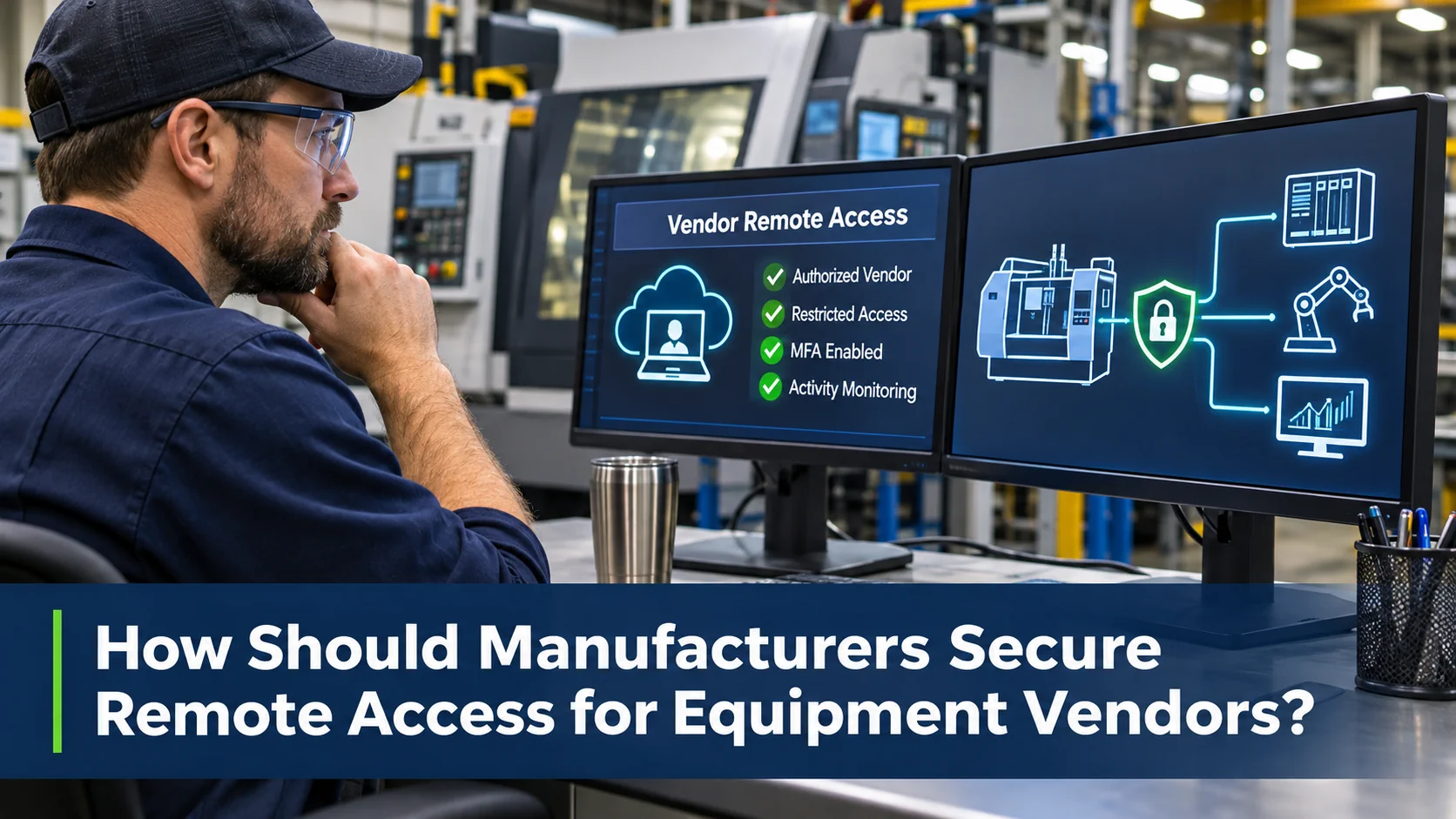
For a deeper discussion of controlling outside connections, see our article on manufacturing vendor remote access security.
Coordinate Access Changes With Production Operations
Do not apply office IT offboarding procedures blindly to industrial equipment.
A controller account or industrial workstation credential may be used by an active process, integration, or vendor support application.
Changes should be evaluated with appropriate plant personnel and equipment specialists.
Where an immediate security concern requires access removal, the organization should also assess the operational consequences and establish a safe response plan.
How Can Manufacturers Reduce Key-Person Dependency Before Someone Leaves?
The best time to address employee offboarding risk is before a departure occurs.
Manufacturers can reduce dependency on individual employees through documentation, access governance, cross-training, and ongoing technology oversight.
Maintain Current Infrastructure Documentation
Network diagrams should reflect the actual environment, including critical switches, firewalls, wireless systems, servers, production VLANs, and IoT networks.
Documentation should identify the purpose of important configurations, not merely list device addresses.
For example, recording that a firewall rule exists is useful. Documenting that the rule supports communication between the ERP system and a production monitoring application is more valuable when troubleshooting a future problem.
Establish Company-Controlled Administrative Access
Critical platforms should remain under company control.
Use appropriately managed administrative identities, secure credential storage, documented recovery procedures, and designated backup administrators.
Periodically verify that authorized personnel can access essential systems.
Review Privileges and Vendor Accounts Regularly
Do not wait until an employee leaves to discover which accounts they control.
Review administrative permissions, shared credentials, external support accounts, and physical security access on a recurring basis.
This can also identify unnecessary permissions accumulated as employees change roles.
Build Technology Continuity Into Operational Planning
A manufacturer planning a new facility, production line, or equipment installation should document the technology being introduced and who will maintain it.
Our article on IT planning for a second manufacturing facility discusses infrastructure and operational considerations that should be addressed before expansion.
The same documentation discipline applies when existing systems are upgraded or replaced.
How Can Managed or Co-Managed IT Reduce Key-Person Dependency?
Outside IT support can help manufacturers reduce reliance on a single internal employee, but the right arrangement depends on the organization's staffing and operational needs.
Managed IT Services Provide Ongoing Technology Oversight
For manufacturers without a dedicated internal IT department, a managed IT provider can help maintain infrastructure documentation, administrative access, network monitoring, security controls, and vendor coordination.
This provides an established support structure rather than requiring the company to locate technical expertise only after a departure or system failure.
TR Technologies' Managed IT Services are designed for organizations seeking a primary outsourced IT partner.
Co-Managed IT Services Support Internal IT Teams
Manufacturers with an internal IT administrator or manager may prefer to retain that role while adding outside expertise and continuity.
A co-managed arrangement can help with advanced infrastructure support, network administration, documentation, project work, and coverage when internal personnel are unavailable.
This can be particularly valuable when one internal employee has accumulated responsibility for nearly every technology system.
TR Technologies' Co-Managed IT Services support internal IT teams without requiring the manufacturer to abandon its existing staffing model.
Documentation and Accountability Still Matter
Hiring an outside IT provider does not automatically eliminate key-person risk.
Manufacturers should understand who owns administrative accounts, where documentation is maintained, how vendor relationships are managed, and what happens if a support arrangement changes.
The objective is an environment that remains manageable and recoverable even when individual people or service providers change.
Frequently Asked Questions About Manufacturing IT Employee Offboarding
When Should a Departing Employee's IT Access Be Disabled?
The timing should follow the organization's approved offboarding and security procedures.
For a planned departure, IT and HR should coordinate the effective time in advance.
For an involuntary or higher-risk separation, immediate or carefully synchronized access removal may be appropriate.
The organization should include business applications, infrastructure accounts, remote access, vendor portals, and physical security systems in its review.
Is Disabling Microsoft 365 Enough to Complete Employee Offboarding?
No.
Microsoft 365 account removal does not necessarily affect standalone network devices, equipment vendor portals, industrial workstations, cloud-managed security systems, or building access credentials.
Manufacturers need an inventory of systems outside their central identity environment.
Should All Shared Passwords Be Changed When an IT Administrator Leaves?
Shared credentials known to the departing administrator should be reviewed and rotated where necessary.
However, manufacturers should first identify whether those credentials are also used by services, applications, equipment, or automated processes.
Changes to production-related systems should be coordinated to avoid unnecessary disruption.
What Happens to a Former Employee's Microsoft 365 Email and OneDrive Files?
Organizations may need to preserve email, documents, and other business records before deleting an account or removing licenses.
Microsoft provides procedures for blocking access, transferring data, and handling former employee mailboxes.
Retention behavior depends on the configuration, licensing, and applicable policies.
Review business and legal requirements before deleting information.
Should Manufacturers Change Their Wi-Fi Passwords When an Employee Leaves?
Not automatically in every case.
If the employee knew shared wireless credentials, the company should evaluate whether rotation is appropriate.
For manufacturing networks, changes must account for connected scanners, tablets, industrial devices, and other systems that may require manual reconfiguration.
Administrative access to Wi-Fi controllers should be reviewed separately from ordinary wireless network access.
Why Are Network Switch and VLAN Configurations Important During Offboarding?
Switch and VLAN configurations can determine how production equipment, business systems, IoT devices, and security infrastructure communicate.
Without accurate documentation and configuration backups, troubleshooting or replacing equipment may become more difficult.
Manufacturers should preserve both the configurations and the reasons important network connections exist.
What IoT Documentation Should Be Preserved?
At minimum, document important IoT devices, their locations, management platforms, network connections, vendors, and operational purposes.
For critical systems, include configuration backups, support procedures, and relevant dependencies.
Credentials and recovery information should be stored securely.
Does Deactivating an Employee's Door Badge Remove Their Access to the Security System?
Not necessarily.
A door badge controls physical entry, while an administrative account may allow the employee to manage badges, door permissions, cameras, alarms, or other security functions.
Both types of access should be reviewed and revoked as appropriate.
Should a Departing Maintenance Manager's PLC or CNC Passwords Be Changed?
Potentially, but not without understanding the equipment.
Some credentials may be tied to controller functions, engineering software, or vendor support processes.
Coordinate changes with qualified plant personnel and equipment vendors to avoid disrupting production.
What If the Only Person Who Knows the Firewall or Switch Password Has Already Left?
First, determine whether another authorized administrator, managed service provider, vendor, or documented recovery method is available.
Avoid performing unplanned resets on production network equipment.
A reset could remove critical configurations or interrupt manufacturing operations.
If access cannot be recovered safely, work with qualified technical personnel and the equipment manufacturer to develop a controlled recovery plan.
Can a Manufacturer Reduce These Risks Without Hiring Another Full-Time IT Employee?
Often, yes.
Better documentation, centralized account ownership, secure credential management, cross-training, and managed or co-managed IT support can reduce dependency on individual employees.
The appropriate combination depends on the organization's technology environment and internal capabilities.
Protect Manufacturing Operations Before Key Knowledge Walks Out the Door
Employee departures are a normal part of business.
They should not leave a manufacturer uncertain about who controls its network, how its production systems communicate, or whether critical infrastructure can be recovered.
A complete manufacturing IT employee offboarding process addresses both access removal and operational continuity.
That includes Microsoft 365 and business applications, but also firewalls, switches, VLANs, Wi-Fi networks, IoT devices, industrial systems, equipment vendor relationships, and physical security infrastructure.
For small and midsize manufacturers, the most important question may not be whether the current environment is working.
It may be whether the company can continue managing that environment when the person who knows it best is no longer available.
TR Technologies has served Chicagoland manufacturers since 2001. We help businesses maintain reliable IT infrastructure, improve documentation, coordinate equipment vendors, and reduce technology risks through managed and co-managed IT services.
If your manufacturing business depends heavily on one employee to manage critical technology—or you're preparing for an IT or operations leadership transition—schedule a Discovery Call to discuss your environment, documentation, and continuity priorities.