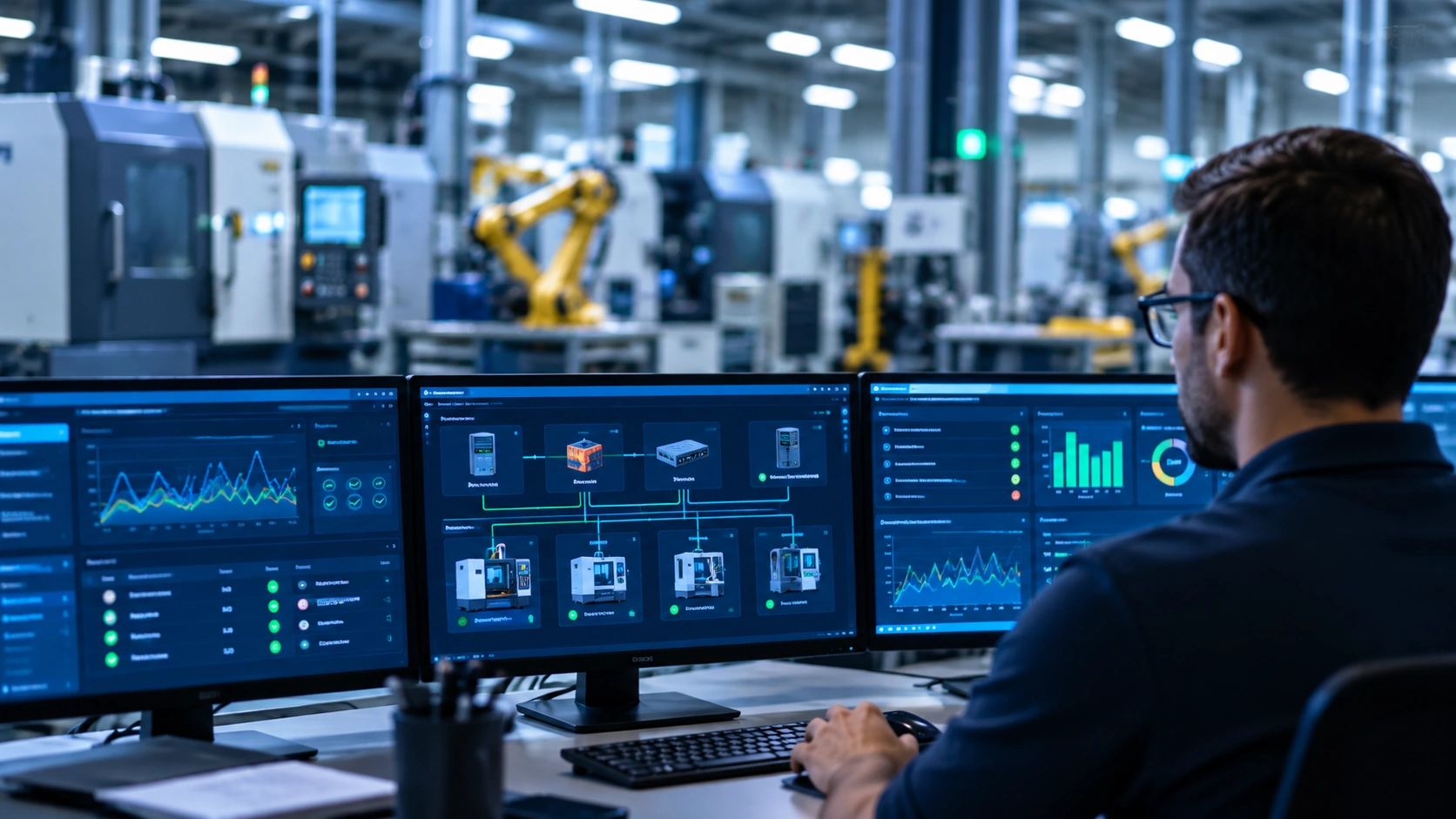
A CNC machine may run reliably for decades. The Windows-based controller operating that machine, however, may have reached the end of its supported life years ago.
Managing legacy Windows systems in manufacturing creates a difficult decision for business owners and operations leaders. The equipment still produces quality parts, meets production requirements, and may have many useful years remaining. Yet the controller may be running Windows 7, Windows XP, or another operating system that no longer receives standard security updates.
The equipment vendor might recommend upgrading the controller. The manufacturer might look at the cost, anticipated downtime, and lack of immediate production benefits and decide to postpone the investment.
Neither position is automatically unreasonable.
The challenge is that a machine's operational reliability and its cybersecurity exposure are two different considerations. A controller can continue performing its intended function while creating risks that are not immediately visible on the production floor.
Manufacturers need a practical approach that protects production, accounts for the realities of industrial equipment, and establishes a responsible plan for managing aging technology.
Why Older Windows Systems Remain Common in Manufacturing
Production Equipment Often Outlasts Its Operating System
Manufacturing equipment frequently has a much longer useful life than the computers and operating systems associated with it.
A business workstation might be replaced every four or five years. A CNC machine, industrial press, or specialized production system may remain in service for 15, 20, or more years with appropriate maintenance.
The controller is often part of a larger equipment system that includes proprietary software, specialized interfaces, communication hardware, and vendor-specific configurations.
Replacing the operating system may not be as simple as installing a newer version of Windows.
An upgrade could require a replacement industrial computer, new controller software, updated interfaces, changes to connected equipment, and testing before the machine can safely return to production.
For this reason, manufacturers may continue operating legacy controllers long after the operating system's standard support has ended.
Windows XP, Windows 7, and Windows 10 Serve Different Roles
Not every older Windows installation presents the same situation.
A Windows 10 workstation used for purchasing, accounting, or production scheduling may be relatively straightforward to replace. A Windows 7 controller integrated into a specialized CNC machine may require extensive planning.
Windows XP systems are less common today, but they can still appear in older production environments where specialized equipment remains functional.
The following support dates illustrate why manufacturers should identify the specific operating system and edition installed on each device.
| Operating system | General support milestone | Manufacturing consideration |
|---|---|---|
| Windows XP | Support ended April 2014 | May remain on older equipment controllers with limited modernization options |
| Windows 7 | Extended support ended January 2020 | Can remain tied to CNC machines, HMIs, and specialized production applications |
| Windows 10 | Standard support ended October 14, 2025 | Office workstations and production-connected systems may require different migration approaches |
| Windows 11 | Supported, subject to version and edition lifecycle | A potential replacement platform when hardware, applications, and equipment vendors support it |
These dates refer to the standard desktop operating systems. Embedded, IoT, and Long-Term Servicing editions can have different support lifecycles, so the exact installed edition must be verified before determining its status.
Microsoft also offers an Extended Security Updates (ESU) program for eligible Windows 10 systems. ESU provides a temporary path for receiving certain security updates; it does not restore normal product support or resolve equipment compatibility issues.
The important starting point is understanding what each system does, what it connects to, and what would happen if it failed.
Why Manufacturers Don't Always Upgrade Legacy Controllers
The Equipment Still Performs Its Intended Function
Consider a CNC machine that has operated reliably for years.
Its Windows 7 controller starts correctly, communicates with the equipment, and runs the programs required for production. Operators understand the system, maintenance personnel know its behavior, and the machine continues meeting quality and throughput expectations.
From an operations perspective, the system may not appear to need replacement.
A controller upgrade might not improve cycle times, increase capacity, or produce a measurable return on investment.
For a manufacturer managing equipment purchases, labor expenses, facility improvements, and other capital priorities, postponing the controller replacement can appear financially reasonable.
However, that decision should include more than whether the equipment continues working.
Controller Upgrades Can Be Expensive and Disruptive
Industrial controller modernization can involve costs beyond the replacement hardware.
Depending on the equipment, a project may require:
- New controller hardware and software licenses.
- Compatibility testing with existing machinery and interfaces.
- Equipment-vendor engineering or installation services.
- Migration of machine programs, parameters, and configurations.
- Operator or maintenance personnel training.
- Production downtime for installation, testing, and validation.
- Changes to network communication and remote support arrangements.
Some equipment may also require modifications that extend beyond the controller itself.
These factors can make a controller replacement substantially more complicated than a typical office computer upgrade.
Equipment Vendors and Manufacturers May Have Different Priorities
It is tempting to assume that older controllers remain in service because equipment vendors have failed to provide an upgrade path.
That is not always the case.
An equipment vendor may have recommended a controller upgrade for several years. The manufacturer may have declined because the existing system continues to operate and the replacement cost is difficult to justify.
In other situations, the vendor may not offer a practical upgrade without replacing major portions of the equipment.
Both circumstances occur.
The vendor's responsibility is to communicate available support and modernization options. The manufacturer's responsibility is to evaluate those options against production requirements, cost, reliability, and risk.
The most productive approach is collaboration rather than assigning blame.
A manufacturer should understand what the vendor recommends, what support remains available, and what risks accompany continued operation.
Operational Reliability Is Not the Same as Cybersecurity
Why Unsupported Operating Systems Create Exposure
An unsupported operating system can continue functioning after its support lifecycle ends.
What changes is the availability of normal security updates, software maintenance, and technical support.
When vulnerabilities are discovered in an unsupported operating system, the manufacturer may have limited or no access to corrective updates.
Older systems may also depend on outdated communication protocols, authentication methods, and applications that were designed before current cybersecurity practices became standard.
That does not mean every unsupported controller will be compromised. It means the organization has fewer options for addressing certain vulnerabilities.
The risk becomes particularly important when a controller communicates with other systems.
How Legacy Controllers Can Affect the Broader Network
Manufacturing controllers rarely operate in complete isolation.
They may exchange files with programming workstations, communicate with production-management software, connect to shared storage, or provide remote access for equipment vendors.
Some are connected directly to the same network used by office computers, servers, and other business systems.
These connections can create pathways between production equipment and the broader IT environment.
For example, a compromised office workstation might reach a legacy controller through an unrestricted network connection. Alternatively, a compromised controller or vendor-access system might provide a pathway toward other connected resources.
The consequences can extend beyond information security.
A controller outage may interrupt production, delay shipments, require specialized vendor assistance, or prevent equipment from restarting until configurations are restored.
For manufacturers, cybersecurity and operational continuity are closely connected.
Why Not Every Legacy Controller Presents the Same Risk
Two Windows 7 controllers can have very different risk profiles.
One may operate on a tightly controlled production network, communicate only with specific approved systems, and have documented recovery procedures.
Another may have unrestricted access to the corporate network, routine internet connectivity, shared credentials, and undocumented remote-access software.
Both run an unsupported operating system. Their exposure and available safeguards are not the same.
This distinction matters because cybersecurity decisions should reflect the actual environment rather than operating system age alone.
An unsupported controller does not automatically require immediate replacement. But continued operation should be a deliberate, documented decision supported by appropriate safeguards and a modernization plan.
How Manufacturers Can Reduce Risk Without Immediately Replacing Every Controller
When replacing a legacy controller is not immediately practical, manufacturers can implement compensating controls to reduce exposure.
These controls do not eliminate the underlying vulnerabilities or make the operating system supported again. Their purpose is to reduce the likelihood and potential consequences of an incident while the organization works toward a longer-term solution.
The National Institute of Standards and Technology's Guide to Operational Technology (OT) Security, SP 800-82 Revision 3, emphasizes that security measures must account for OT's distinctive reliability, performance, and safety requirements.
That principle is especially important in manufacturing environments where security changes can affect equipment operation.
Segment Production Networks From Business IT
Network segmentation is one of the most important safeguards for manufacturing environments with legacy controllers.
Segmentation separates systems into logical or physical network areas based on their functions and communication requirements.
For example, a manufacturer might separate office workstations, business servers, production equipment, and vendor-access systems into different network segments.
Firewalls and other appropriate controls can then restrict communication between those areas.
A legacy CNC controller that only needs to exchange files with a designated programming workstation should not automatically have unrestricted access to every computer and server on the network.
Likewise, office workstations should not be able to communicate freely with production controllers unless there is a documented operational requirement.
Effective segmentation begins with understanding the communications that production equipment actually needs.
It is not simply a matter of creating separate VLANs. The organization must also establish and enforce appropriate traffic restrictions between those networks.
Restrict Controller Communications and Remote Access
Many industrial controllers require communication with specific workstations, servers, or equipment-vendor systems.
Those connections should be identified and limited to what is necessary.
Manufacturers should evaluate whether controllers genuinely require direct internet access, whether file transfers can occur through designated systems, and whether remote vendor support can be provided through a controlled access method.
Where feasible, remote access should use individually accountable credentials, multifactor authentication at an appropriate access gateway, time-limited authorization, and logging.
Persistent, undocumented remote-access tools deserve particular attention.
However, changes should not be implemented without understanding the equipment's requirements.
A firewall rule that appears unnecessary from an IT perspective could interrupt a machine's operation or prevent a vendor from performing essential diagnostics.
Production communications should be documented and validated before access restrictions are enforced.
Monitor for Unexpected Activity
Monitoring can help manufacturers identify unusual behavior involving legacy controllers.
Examples include a controller attempting to communicate with an unfamiliar destination, an unexpected remote connection, or unusual traffic between production and business networks.
Monitoring may also reveal equipment communication patterns that were not previously documented.
In OT environments, passive network monitoring is often preferable when active scanning could interfere with sensitive devices or industrial protocols.
Traditional IT vulnerability scanners and endpoint tools should not be deployed indiscriminately on industrial controllers.
Their compatibility and operational impact must be evaluated with the equipment vendor and appropriate engineering personnel.
Monitoring also needs an operational response plan. Detecting unusual traffic is useful only if someone understands what it means and can respond without unnecessarily interrupting production.
Maintain Recoverable Backups and Controller Configurations
Legacy controller recovery can be more difficult than recovering a standard office computer.
The organization may need more than a copy of the operating system.
Recovery can depend on proprietary applications, machine parameters, licensing information, specialized drivers, hardware interfaces, and equipment-vendor configuration files.
Manufacturers should determine whether complete system images or other vendor-approved backups are available and whether those backups can be restored to functioning hardware.
They should also consider the availability of replacement components.
A controller backup provides limited value if the only compatible industrial computer has failed and no replacement can be obtained.
Recovery planning should answer several practical questions:
- What information is required to restore this controller?
- Where are its programs, parameters, and configuration files stored?
- Who has the credentials and vendor information needed for recovery?
- Is compatible replacement hardware available?
- Has the recovery process been tested or validated?
- How long could production remain unavailable?
Backups should be protected from unauthorized modification and ransomware, and restoration procedures should be documented.
For critical production equipment, recovery capability may be as important as preventing the initial incident.
Document Exceptions and Coordinate With Equipment Vendors
A manufacturer that retains an unsupported controller should document why it remains in service and what protections are in place.
That documentation should identify the system owner, equipment dependency, operating system, known limitations, approved connections, recovery approach, and planned review date.
It should also identify the person or business role authorized to accept the remaining risk.
Equipment vendors should be involved when changes could affect controller operation, warranty conditions, supported configurations, or safety.
An IT provider can help design network controls and monitoring, but should not independently modify specialized production systems without understanding the operational consequences.
The goal is to establish shared accountability between IT, operations, maintenance, leadership, and equipment vendors.
Why Segmentation Alone Is Not Enough
Network segmentation deserves special attention because it is sometimes described as though it completely solves the problem of unsupported industrial systems.
It does not.
A segmented controller may still be exposed through approved network connections, removable media, compromised programming workstations, vendor remote access, or maintenance activities.
An attacker who gains access to an authorized communication path may still reach the controller.
Similarly, segmentation cannot correct vulnerabilities inside the unsupported operating system itself.
Effective protection requires multiple safeguards working together.
| Compensating control | What it helps address | What it does not solve |
|---|---|---|
| Network segmentation | Limits unnecessary communication and potential attack paths | Does not eliminate vulnerabilities inside the controller |
| Restricted remote access | Reduces uncontrolled external access | Does not guarantee that authorized access cannot be compromised |
| Passive network monitoring | Helps identify unexpected communications | Does not prevent every incident or restore unsupported software |
| Backups and recovery planning | Improves recovery options after failure or compromise | Does not prevent an initial compromise |
| Vendor coordination | Reduces the likelihood of incompatible or disruptive changes | Does not guarantee continued availability of vendor support |
| Documented risk exceptions | Establishes ownership, review dates, and accountability | Does not reduce technical exposure by itself |
The objective is not to declare an aging controller secure. It is to understand and manage the remaining risk as responsibly as possible.
When Does a Legacy Controller Need to Be Replaced?
Compensating controls can provide valuable protection, but they should not become an excuse to postpone modernization indefinitely.
Some circumstances make replacement increasingly necessary.
When Security Risks Cannot Be Adequately Reduced
A controller may require network connections that cannot be sufficiently restricted.
Its applications may depend on insecure services, or the equipment may lack a practical way to control vendor access.
If the remaining exposure is too significant for the organization's risk tolerance, continued operation may no longer be appropriate.
This is especially important when a compromise could affect employee safety, critical production processes, or multiple interconnected systems.
When Hardware Failures Threaten Recovery
A controller can become an operational liability even without a cybersecurity incident.
Industrial computers, storage devices, interface cards, and other components eventually fail.
If replacement hardware is unavailable or restoring the controller requires obsolete components, a relatively small failure could cause an extended production outage.
Manufacturers should assess not only whether the controller works today, but whether it can be recovered tomorrow.
When Vendor Support or Replacement Parts Disappear
Equipment vendors may discontinue support for older controller platforms.
When that happens, obtaining software, replacement components, or specialized engineering assistance can become increasingly difficult.
A manufacturer may decide to retain a working controller while support remains available, then accelerate replacement as those resources disappear.
This decision should be made before an emergency forces the organization into an unplanned upgrade.
When Business, Insurance, or Compliance Requirements Change
Cyber insurance applications, customer security requirements, contractual obligations, and applicable compliance frameworks may affect decisions about unsupported systems.
However, these requirements vary.
Manufacturers should not assume that every cyber insurance policy prohibits all unsupported operating systems or that network segmentation automatically satisfies every requirement.
The appropriate approach is to review the actual policy language, application representations, contracts, and relevant obligations.
If an insurer or customer requires particular safeguards or remediation, the manufacturer should understand those requirements before deciding how to proceed.
Building a Practical IT/OT Modernization Plan
A responsible modernization strategy begins with understanding the environment rather than purchasing replacement equipment.
Manufacturers can use a phased process to identify the most important risks, establish safeguards, and plan investments around production requirements.
Step 1: Inventory Legacy Controllers and Their Dependencies
Start by identifying Windows-based systems throughout the facility.
This should include more than desktop computers and servers.
Review CNC controllers, human-machine interfaces (HMIs), engineering workstations, programming computers, machine-vision systems, and other production-connected devices.
For each system, record its operating system and edition, equipment function, network connections, vendor, software dependencies, and support status.
The inventory should distinguish between systems that can be upgraded independently and systems that are closely integrated with specialized equipment.
Step 2: Classify Risk and Operational Criticality
Not every system requires the same priority.
Consider the likelihood of exposure, available security safeguards, importance to production, recovery capability, and potential consequences of failure.
A legacy controller supporting a single noncritical machine may require a different response from a controller that supports an entire production line.
Likewise, a Windows 10 office workstation may be easier to replace than a Windows 7 controller requiring vendor engineering.
A simple prioritization table can help leadership make informed decisions.
| System situation | Typical planning priority | Recommended direction |
|---|---|---|
| Unsupported office workstation with a straightforward replacement path | High | Upgrade or replace promptly; evaluate eligible temporary security-update options |
| Legacy controller with unrestricted network access | High | Assess exposure immediately, restrict unnecessary access, and develop remediation |
| Legacy controller with controlled communications and tested recovery | Risk-dependent | Maintain safeguards, monitor, and establish a documented modernization schedule |
| Legacy controller with no reliable recovery or replacement parts | High operational concern | Prioritize recovery improvements and replacement planning |
| Vendor-supported controller on a verified supported platform | Routine lifecycle planning | Maintain vendor-approved updates, monitoring, and recovery procedures |
These priorities are illustrative. Safety implications, production criticality, and actual exposure can change the appropriate response.
Step 3: Prioritize Controls, Upgrades, and Replacement Budgets
Once the systems are classified, manufacturers can separate immediate safeguards from longer-term investments.
Some actions may be achievable without replacing controllers, such as improving network segmentation, documenting vendor access, or establishing recovery procedures.
Other actions may require capital expenditures.
A multi-year lifecycle budget can help avoid sudden, unplanned replacement projects.
Manufacturers should also consider coordinating controller modernization with other planned equipment improvements.
If a production line is already scheduled for maintenance or a larger upgrade, that may create an opportunity to modernize its controller with less disruption.
Step 4: Schedule Changes Around Production Requirements
Industrial technology changes require coordination.
An upgrade that would be routine in an office environment can have significant consequences when it affects production equipment.
Manufacturers should involve operations, maintenance, IT, and equipment vendors in planning.
Before implementation, establish the expected downtime, testing requirements, rollback procedures, and responsibilities for returning the machine to service.
Where possible, schedule changes during planned maintenance periods or production windows that minimize business impact.
A successful modernization project is not simply one where the new operating system starts correctly. The equipment must also perform its intended production functions reliably and safely.
Step 5: Review the Plan Regularly
A documented exception should not become permanent simply because no one revisits it.
Legacy system reviews should consider changes in exposure, vendor support, hardware condition, insurance requirements, production dependency, and replacement options.
The review should also confirm that existing safeguards remain effective.
A controller that was appropriately restricted when the plan was created may later acquire a new network connection or remote-access requirement.
Regular reviews help ensure that yesterday's reasonable decision remains appropriate under today's conditions.
Frequently Asked Questions About Legacy Windows Controllers
Can a Windows 7 controller still be used safely?
A Windows 7 controller may continue operating reliably, but the standard operating system no longer receives security support.
Whether continued use presents an acceptable level of risk depends on its connectivity, vulnerabilities, operational importance, available safeguards, and recovery capabilities.
Manufacturers should evaluate the specific system, implement appropriate compensating controls, and establish a documented modernization plan rather than assume that continued operation is risk-free.
Does network segmentation make Windows XP or Windows 7 secure?
No. Network segmentation can significantly reduce unnecessary exposure when correctly designed and enforced, but it does not eliminate vulnerabilities in an unsupported operating system.
Authorized network connections, removable media, vendor access, and other pathways may still introduce risk.
Segmentation should be one component of a broader protection and lifecycle strategy.
Can a CNC controller be upgraded directly to Windows 11?
Not necessarily.
Even when the underlying computer meets Windows 11 hardware requirements, the controller's applications, drivers, interface cards, and equipment integrations may not support the newer operating system.
Some controllers require vendor-approved replacement hardware or specialized migration procedures.
Manufacturers should consult the equipment vendor before attempting an operating system upgrade.
What should a manufacturer do when a vendor requires an older operating system?
First, confirm the vendor's supported configuration and available modernization options.
Then document the system's dependencies and evaluate its actual exposure.
Depending on the circumstances, appropriate safeguards may include restricted network communications, controlled remote access, monitoring, backups, and additional operational procedures.
The manufacturer should also establish a future replacement or upgrade plan, particularly if vendor support or recovery options are limited.
Should legacy OT controllers have internet access?
Direct internet access should not be assumed necessary.
Many controllers can perform their intended functions without unrestricted internet connectivity.
However, some equipment may require specific external communications for licensing, vendor diagnostics, updates, or other operational purposes.
Those requirements should be verified, documented, and restricted to approved destinations and methods wherever practical.
Can Windows 10 Extended Security Updates solve the problem?
For eligible Windows 10 devices, Microsoft's Extended Security Updates program can provide certain critical and important security updates during a limited transition period.
It is not a permanent modernization solution, does not include normal technical support, and does not address every software or equipment dependency.
It also should not be assumed to apply to older Windows 7 or Windows XP controllers.
Manufacturers should verify eligibility and support terms for the exact installed Windows edition.
Modernization Should Protect Production, Not Disrupt It Unnecessarily
Manufacturers face a technology challenge that many other businesses do not.
Their production equipment may remain useful and reliable for decades, while the operating systems, computers, and software supporting that equipment reach the end of their supported lives much sooner.
Replacing every legacy controller immediately is not always practical, necessary, or financially responsible.
Ignoring the risks is not responsible either.
The better approach is to understand which systems remain in service, how they communicate, what would happen if they failed, and what safeguards can reduce exposure.
Some controllers may need immediate attention. Others may remain in operation under carefully managed conditions while the business prepares for eventual modernization.
The goal is not to replace working production equipment simply because its controller is old. The goal is to protect the business while making informed, financially responsible technology decisions.
TR Technologies helps Chicagoland manufacturers evaluate business IT infrastructure, production-network connectivity, legacy technology dependencies, and practical modernization priorities.
Our approach includes coordinating with internal IT personnel, operations teams, and equipment vendors so that technology decisions support production rather than create unnecessary disruption.
For manufacturers reviewing aging infrastructure or planning improvements across their IT and production environments, our Managed IT Services and Co-Managed IT Services provide ongoing support and strategic guidance.
You can also explore additional planning resources in our Manufacturing IT Resource Center.
References
- Microsoft — Windows 10 Release Information. Includes end-of-support information and differences between standard and long-term servicing editions.
- Microsoft — What Does It Mean if Windows Isn't Supported?. Explains unsupported Windows versions and associated limitations.
- Microsoft — Windows 10 Extended Security Updates Program. Explains eligibility, duration, and limitations of ESU.
- NIST — Guide to Operational Technology (OT) Security, SP 800-82 Revision 3. Guidance on OT risk management, segmentation, reliability, and security controls.
Support dates and program details reviewed October 28, 2026. Organizations should verify the lifecycle of their specific Windows edition and equipment-vendor configuration before making upgrade decisions.